
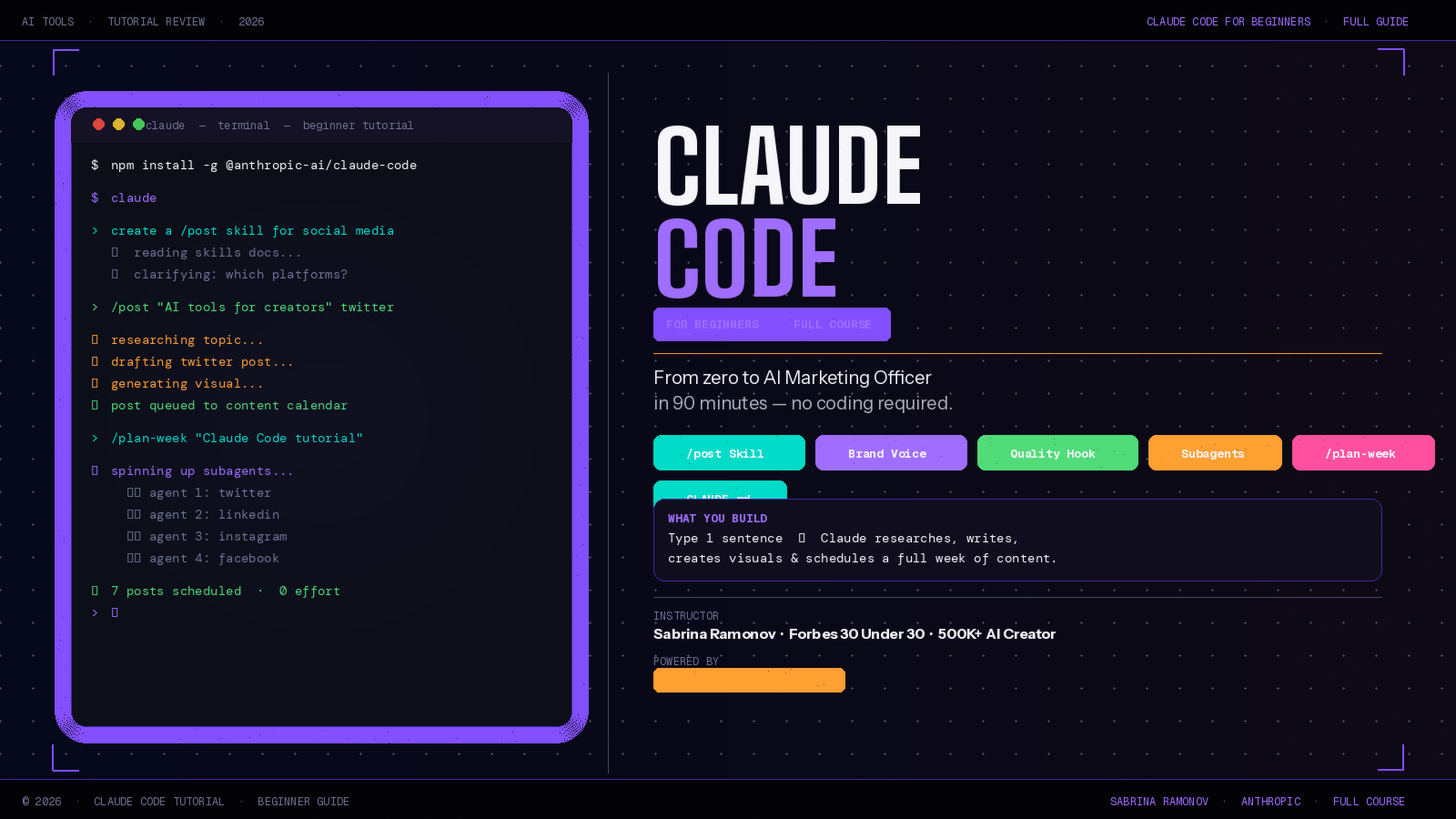
Claude Code for Beginners: What Sabrina Ramonov’s Ultimate Tutorial Teaches You (And Why It Works)
If you’ve been curious about Claude Code but had no idea where to start, this tutorial is your answer. Sabrina Ramonov — Forbes 30 Under 30 founder and AI creator with 500K+ followers — released what many are calling the best Claude Code for beginners tutorial available right now. It’s 90 minutes of step-by-step instruction that takes you from zero to a fully working AI social media manager, built entirely with Claude Code on your own computer.
No coding degree required. No complicated setup. Just one sentence at the end, and Claude does the rest.
Here’s a complete breakdown of what the video covers, what you’ll actually build, and why this Claude Code for beginners course works better than most others out there.
What Is Claude Code for Beginners, Exactly?
Before diving into the tutorial, it helps to understand what Claude Code actually is — because most people assume it’s only for programmers.
Claude Code is an AI coding agent built by Anthropic. It runs in your terminal (the text-based screen that developers use), reads your files, writes code, and executes tasks — all by itself. But here’s the thing Sabrina emphasizes right away: Claude Code is not just for coding. It can automate any repeatable task, manage files, connect to APIs, and run complex workflows — without you touching a single line of code yourself.
The terminal might sound scary. It isn’t. This Claude Code for beginners video walks you through every click from a fresh VS Code setup, including how to install Claude Code with one single command:
npm install -g @anthropic-ai/claude-code
Type claude in your terminal after that, and you’re in.
What You’ll Build in This Claude Code for Beginners Tutorial
The project at the center of this tutorial is a personalized AI Marketing Officer — a system where you type one sentence and Claude automatically handles the rest:
- Researches your topic
- Drafts content for Twitter, LinkedIn, Instagram, and Facebook — each adapted for the platform’s tone
- Creates a matching visual for each post
- Queues everything to your content calendar
- Publishes when you give the green light
All of this happens on your own computer, tailored to your brand voice, in about 30 seconds of effort on your part.
This isn’t a toy example. By the end, you type one sentence and Claude researches your topic, drafts a week of content, creates visuals, shows you the plan, waits for approval, and schedules everything to your socials. That’s a real workflow that replaces hours of manual content work every week.
The Claude Code for Beginners Settings You Need to Know First
Before building anything, Sabrina runs through the foundational settings that make Claude Code actually enjoyable to use — and this section alone is worth watching even if you already have Claude Code installed.
Permissions. Every time Claude Code wants to run a command, it asks for your approval. By default, this happens constantly and gets annoying fast. Sabrina solves this by giving Claude a prompt that pre-approves all safe, non-destructive commands — things like ls, cat, grep, mkdir, and git status. Claude then updates your settings.local.json file automatically. You still get prompted for anything that could modify your codebase or history, but the low-risk stuff runs without interruption.
Plan Mode vs Auto-Edit Mode. This is the workflow that sets Sabrina apart from other tutorials. She explains that she spends about 90% of her time in Plan Mode — reading what Claude proposes, pushing back, refining — and only switches to Auto-Edit mode once she’s happy with the plan. The lesson here is counterintuitive: the best way to use Claude Code for beginners is to slow down at the planning stage, not rush to let the AI do things.
Keeping context clean. Every new task should start with a fresh conversation. Use /clear often. Every time you start something new, clear the chat. You don’t need all that history eating your tokens. Sabrina adds a shortcut that re-reads her CLAUDE.md project file at the start of each session, giving Claude full context without the leftover noise.
Claude Code for Beginners Step 1: Building Your First Skill
The first big concept in the tutorial is Skills — and this is where Claude Code for beginners goes from interesting to genuinely exciting.
A Skill is a custom command you build once and reuse forever. Sabrina creates a /post skill: you type /post "your topic" twitter and Claude handles the research, writing, visual creation, and publishing — automatically.
Skills live in a simple folder structure:
.claude/
  skills/
    post/
      SKILL.md
You don’t build this by hand. You tell Claude what you want the skill to do, Claude asks you clarifying questions one at a time until it’s confident (Sabrina calls this the “95% confidence” pattern), and then it builds the SKILL.md file itself.
That clarifying questions pattern is one of the most practical takeaways in the entire video. You don’t need to write a perfect prompt the first time. Let Claude ask questions. The gaps in your thinking become obvious through dialogue, not upfront planning.
Once the skill is created, you restart Claude and /post appears as a slash command. You test it, it works, and you’ve just built a real AI tool without writing a single line of code manually.
Claude Code for Beginners Step 2: Teaching Claude Your Brand Voice
The second step upgrades the /post skill with something that most AI tools can’t do out of the box — your personal writing style.
Sabrina walks through how to add brand voice guidelines directly into the skill file. You describe your tone, the phrases you use, the energy you write with, and the things you never say. Claude reads these guidelines every time it runs the skill and adapts its output accordingly.
This is what makes the AI Marketing Officer genuinely useful rather than generic. A post for LinkedIn sounds professional and data-driven. The same topic on Twitter sounds casual and punchy. Instagram gets visual-first language. Facebook gets community-focused framing. Claude handles all four variations from one sentence of input — and it sounds like you, not like a robot.
Claude Code for Beginners Step 3: Quality Gates and Hooks
Step three introduces one of the most powerful and underused features of Claude Code: Hooks.
A Hook is a shell command that runs automatically at specific points in Claude’s workflow — before a post is published, after a file is edited, when a task completes. In Sabrina’s tutorial, she builds a quality gate hook that automatically checks every post before it goes out. If the post doesn’t meet her standards, the hook blocks publishing and flags the issue for review.
For a Claude Code for beginners tutorial, this section goes surprisingly deep. But Sabrina explains it clearly: think of a hook as a rule Claude follows without you having to say it every time. You write the rule once, and it applies automatically to every future task.
This is where Claude Code stops feeling like a chatbot and starts feeling like a real automated system.
Claude Code for Beginners Step 4: Running Four Platforms in Parallel with Subagents
Step four is where things get genuinely impressive.
Instead of posting to one platform at a time, Sabrina upgrades the /post skill to use subagents — multiple Claude instances running simultaneously, each handling a different social platform. You type /post "your topic" all and four separate AI agents spin up in parallel, each writing and publishing platform-specific content at the same time.
Claude spawns a subagent for each post, each running in parallel. When everything finishes, you can check your content calendar to see all the posts scheduled for the week.
For a Claude Code for beginners course, this is an advanced concept — but Sabrina explains it without jargon. Subagents are just Claude instances that work on one piece of a bigger task. Coordinate them well and you can cut your workflow time dramatically.
Claude Code for Beginners Step 5: The Weekly Content Planner
The final step is the capstone of the whole course: a /plan-week skill.
You type one sentence — a topic, a YouTube link, a PDF, an existing idea — and Claude researches it, generates a full week’s content plan across all platforms, shows it to you for approval, and then executes everything when you say go.
Claude researches the topic, generates a content-plan.md file and asks for approval. You review it. If a draft needs tweaking, you open content-plan.md and edit it directly. When you’re satisfied, you tell Claude to continue.
The plan is saved as a readable markdown file you can edit like a Google Doc. You’re not locked into what Claude suggests — you’re collaborating with it.
This ties together everything the tutorial teaches: skills, brand voice, quality gates, hooks, subagents, and project memory — all in one final workflow that’s genuinely production-ready.
Why This Claude Code for Beginners Tutorial Is Different
Most Claude Code tutorials focus on one thing: showing you a cool demo. Sabrina’s course focuses on teaching you a repeatable framework.
The difference matters. A demo shows you what’s possible. A framework shows you how to apply it to anything.
By the time you finish this Claude Code for beginners tutorial, you understand how to build a skill, set up quality checks, run parallel workflows, and give Claude persistent memory through CLAUDE.md. Those four things alone let you automate almost any repetitive knowledge work task — not just social media posting.
The people who learn to collaborate with agentic tools now will move faster than everyone else later. No matter what your job is, you can use Claude Code to get a lot more done.
That’s the real pitch. And this tutorial makes it real.
How to Get Started with Claude Code for Beginners Right Now
Here’s the fastest path to following along:
- Install VS Code (free at code.visualstudio.com)
- Get an Anthropic API key at anthropic.com
- Install Claude Code with:
npm install -g @anthropic-ai/claude-code - Type
claudein your VS Code terminal to launch it - Watch the video and build along step by step
The video is 90 minutes. If you set aside a focused afternoon, you’ll come out the other end with a working AI social media manager and the fundamentals to build anything else you can think of.
Key Takeaways: Claude Code for Beginners
- The tutorial is by Sabrina Ramonov — Forbes 30 Under 30, 500K+ AI creator
- You’ll build a personalized AI Marketing Officer from scratch
- No coding experience required — VS Code and one terminal command get you started
- Learn: Skills, Permissions, Plan Mode, Hooks, Subagents, and CLAUDE.md
- End result: type one sentence → Claude researches, writes, designs, and publishes a full week of content
- The model recommended for beginners: Claude Opus 4.6