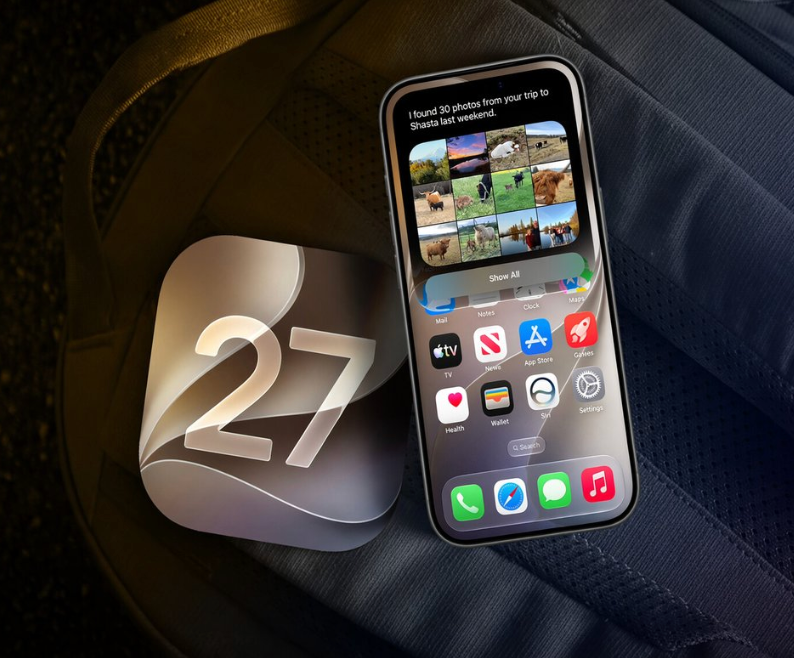
Apple announced over 300 new features for iOS 27 this year. - assengaonline.com -

Apple announced over 300 new features for iOS 27 this year.

Almost every article you’ll read covers the same 10 — the Siri app, the transparency slider, the parental controls. Here are the small details Apple barely mentioned on stage that are quietly more useful than half the headline features.

Detail 1: You can pull a photo directly out of a video, frame by frame.

While playing a video, tap the three-dot menu and select “Save Video Frame as Photo.” iOS extracts that exact frame and saves it to your library as a full-resolution standalone image. No more screenshotting a video and cropping it awkwardly. This has been a workaround for years, and it’s finally built in.

Detail 2: The Photos app finally separates what YOU actually shot.

For years, everything got lumped together — photos from WhatsApp, Telegram, screenshots, your actual camera roll, all mixed into one pile. iOS 27 adds a dedicated section: Collections → Utilities → Captured by Me. It’s exactly what it sounds like — only the photos you personally took with your iPhone’s camera.

Detail 3: Alarm volume is finally independent from ringtone volume.

This has been a genuine annoyance for over a decade. Turning down your ringtone for a meeting also quietly turned down your alarm — which meant sleeping through mornings because you forgot to turn it back up. iOS 27 finally separates ringtones, alarms, and notification sounds into independent controls. Not a new feature so much as Apple fixing something that never should’ve worked this way.

Detail 4: Find My now has a “Hide Location” option nobody’s talking about.

You can discreetly pause your location sharing with a specific person until the end of the day — and they get zero notification that you’ve done it. Apple’s stated reason: surprise birthday parties and situations where you’d rather not explain why your dot disappeared. Quietly one of the most useful privacy additions in the whole update.

Detail 5: The Timer in Control Center got a genuinely clever redesign.

Tap it now and a compact slider drops down directly from the Dynamic Island — no more getting kicked into the full Clock app just to set a 10-minute timer. Small interaction. Used dozens of times a week by basically everyone.

Detail 6: You can shrink the Lock Screen clock.

If you’ve ever picked a wallpaper you loved only to watch the clock swallow the top third of it, this fixes that. Reducing the clock size gives your wallpaper the space it was designed to use. People are already going back through old wallpapers just to see how much better they look with more room to breathe.

Detail 7: Wallet now lets you build your own custom passes.

Not just storing what businesses issue you — actually creating your own pass from scratch inside the app.

Detail 8: CarPlay finally got audio scrubbing.

You can now actually drag through a podcast or audiobook timeline in CarPlay instead of blindly skipping in 15 or 30-second jumps and hoping you land in the right spot.

Detail 9: Calendar got smarter about holidays without you asking it to.

It can now detect when a holiday falls on a day with an existing scheduled alarm and proactively ask if you still want to keep it — instead of you waking up at 6am on Thanksgiving wondering why your alarm didn’t know better.

Detail 10: AirDrop is reportedly up to 80% faster.

If you’ve ever sat there watching a large video file crawl across an AirDrop transfer, this alone might be worth the update.

Detail 11: Landscape Mode is finally expanding across core apps.

Previously limited to a handful of apps like Maps, Calendar, and Files, iOS 27 brings real landscape support to a much wider set of Apple’s built-in apps — a genuinely overdue fix for anyone who uses their phone sideways more than they’d like to admit.

Detail 12: You can manually sync files, photos, and health data to iCloud on your own schedule.

Instead of just trusting the background sync to eventually catch up, iOS 27 gives you the option to force it when you actually need everything backed up right now.
LEONBET leonbet

Leave a Comment

This site uses Akismet to reduce spam. Learn how your comment data is processed.

LEONBET leonbet
Are you sure want to unlock this post?
Unlock left : 0
Are you sure want to cancel subscription?